
Workflows · New in Gen 2
Automated from the first email.
Dynamic, configurable workflows run each case end to end: routing the request, writing to the requester, collecting, analysing, redacting and releasing. People step in where you decide they should.
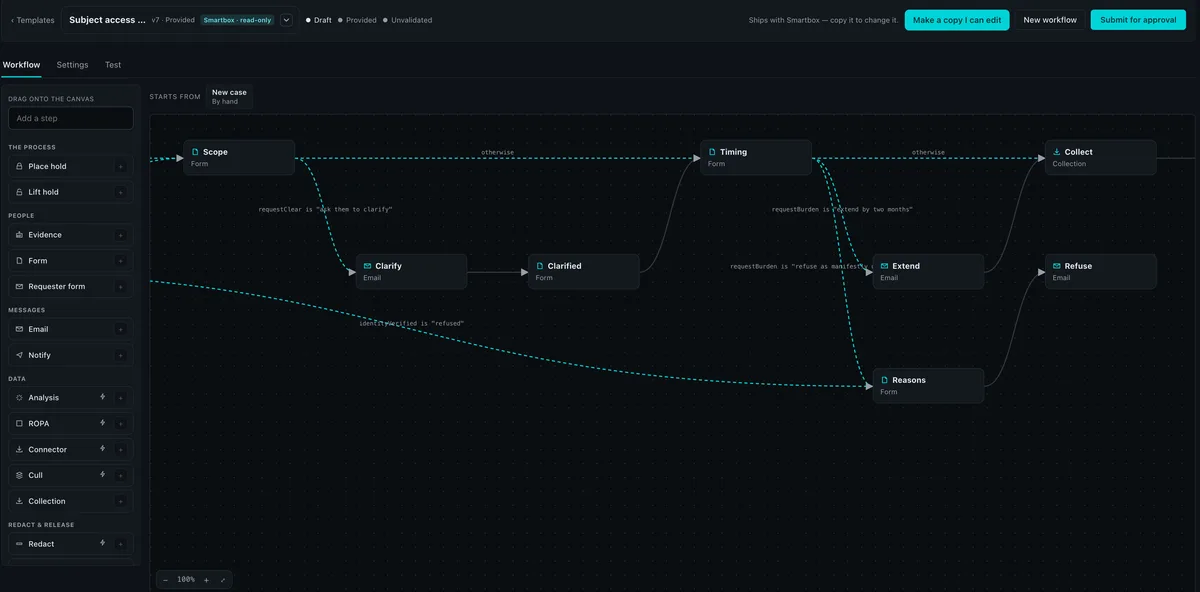
One workflow, from inbox to release.
- Runs on its own
- A person decides
- The requester
- Your rules
- 01Runs on its own
An email arrives
Email routing opens a case, or adds to the right one, and starts the statutory clock.
- 02Runs on its own
Acknowledge
An acknowledgement goes out with a secure link to a requester form.
- 03The requester
Identity and scope
The requester confirms who they are, what they want and signs a declaration.
- 04Your rules
Branch
Unclear? Ask them to clarify. Burdensome? Extend. Refused? Record the reasons.
- 05Runs on its own
Hold and collect
A legal hold is placed and material is collected from connected sources.
- 06Runs on its own
Analyse and cull
Detection, the topic map and culling reduce what reaches review.
- 07A person decides
Redact and review
Redactions are proposed; reviewers decide, each redaction with its reason.
- 08A person decides
Validate and release
The set passes the gate, is approved, and the result link goes to the requester.
See a workflow run end to end, from the first email.
Configurable
Build it your way, step by step.
- Drag steps onto the canvas. Forms, emails, holds, collection, analysis, culling, redaction and release.
- Route on any answer. If the request is unclear, ask them to clarify; if it’s burdensome, extend; if identity is refused, record the reasons.
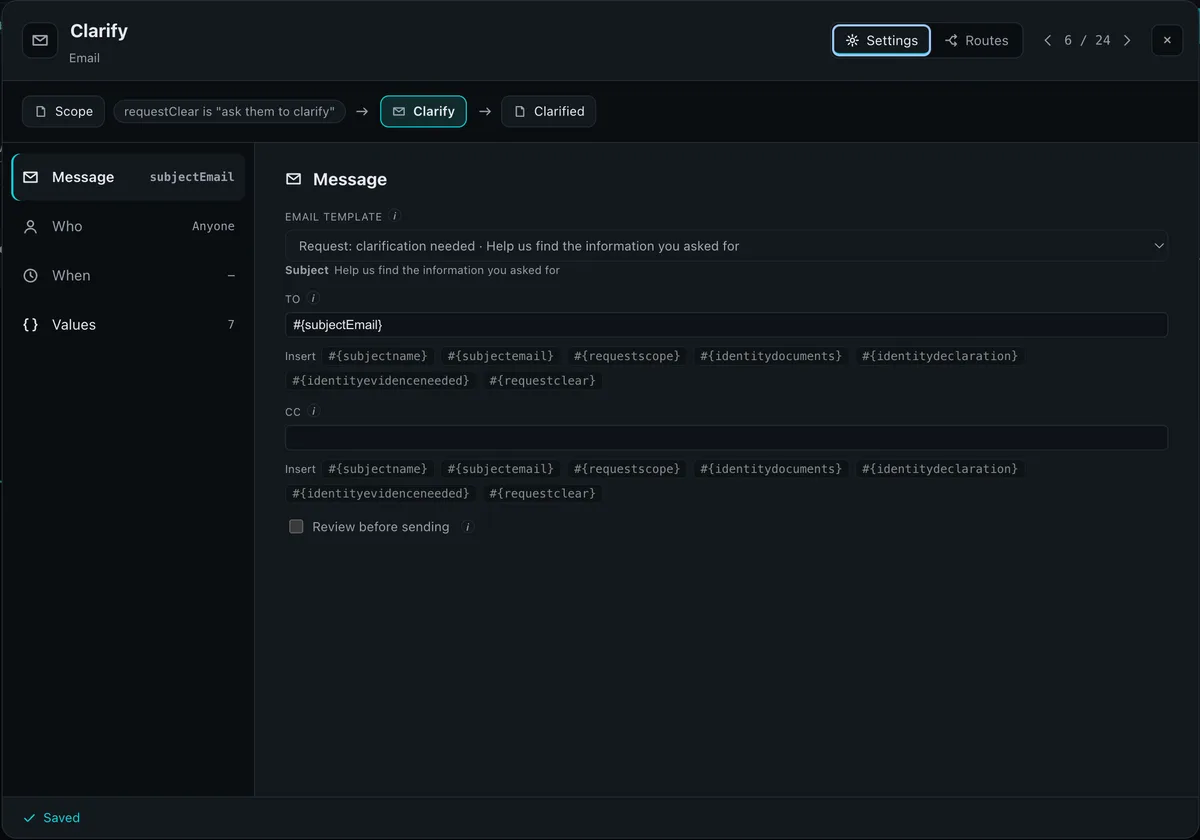
- Set who, when and with what. Each step has its people, its timing and the values it uses.
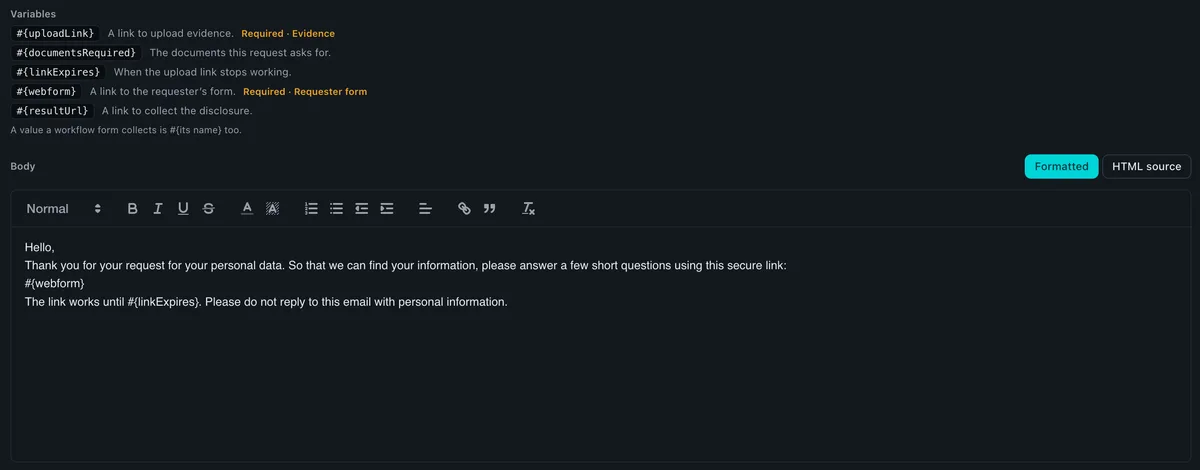
- Review before sending, or don’t. Any email can wait for a person to check it.
Dynamic
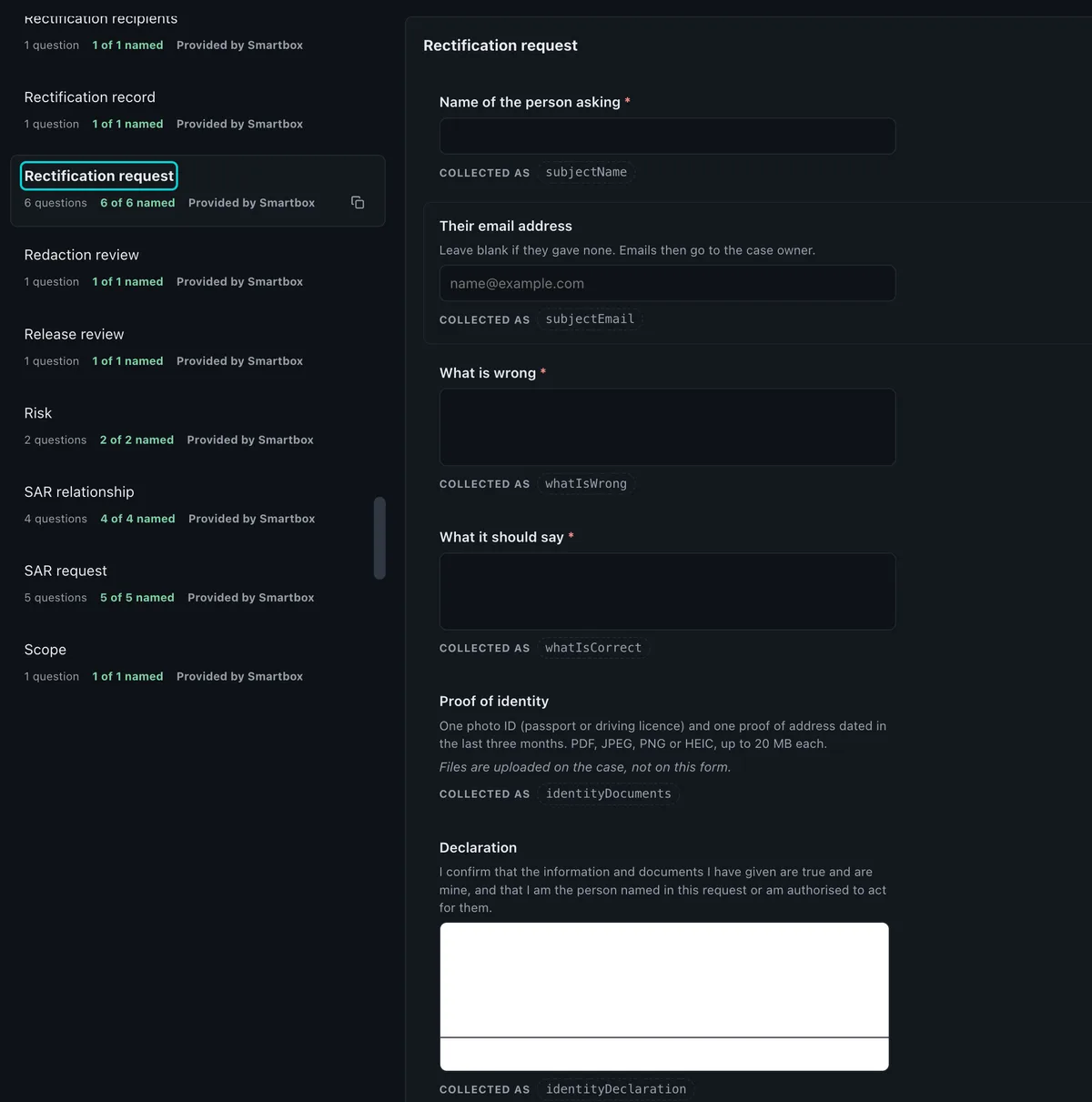
Forms that collect. Emails that fill themselves.
Every answer a requester gives becomes a named value the rest of the workflow can use: in the next email, in a route, or in the case record.
Governed
Start from ours. Make it yours.
Smartbox provides ready-made workflows, forms and emails for each regime. Copy one to change it, test it, then submit it. Workflow changes need a second administrator to publish.
- ProvidedSmartbox template
- DraftYour copy
- TestTried before use
- ApprovalSecond administrator
- PublishedVersioned
The steps you build with
- The process
- Place hold · Lift hold
- People
- Evidence · Form · Requester form
- Messages
- Email · Notify
- Data
- Analysis · ROPA · Connector · Cull · Collection
- Redact and release
- Redact
Beta open now · General availability January 2027
Take control of your next case.
Join the Gen 2 beta, or see it working on your kind of material in a 60-minute demo.
