
Better spreadsheet support
Workbooks reviewed and redacted as reliably as documents.
Smartbox.ai Gen 2 is in beta. General availability January 2027. Join the beta
01 · Control your data
Collect it properly, route it to the right case, and understand it before anyone reads a page — whatever the format, however long the file.
Join the Gen 2 beta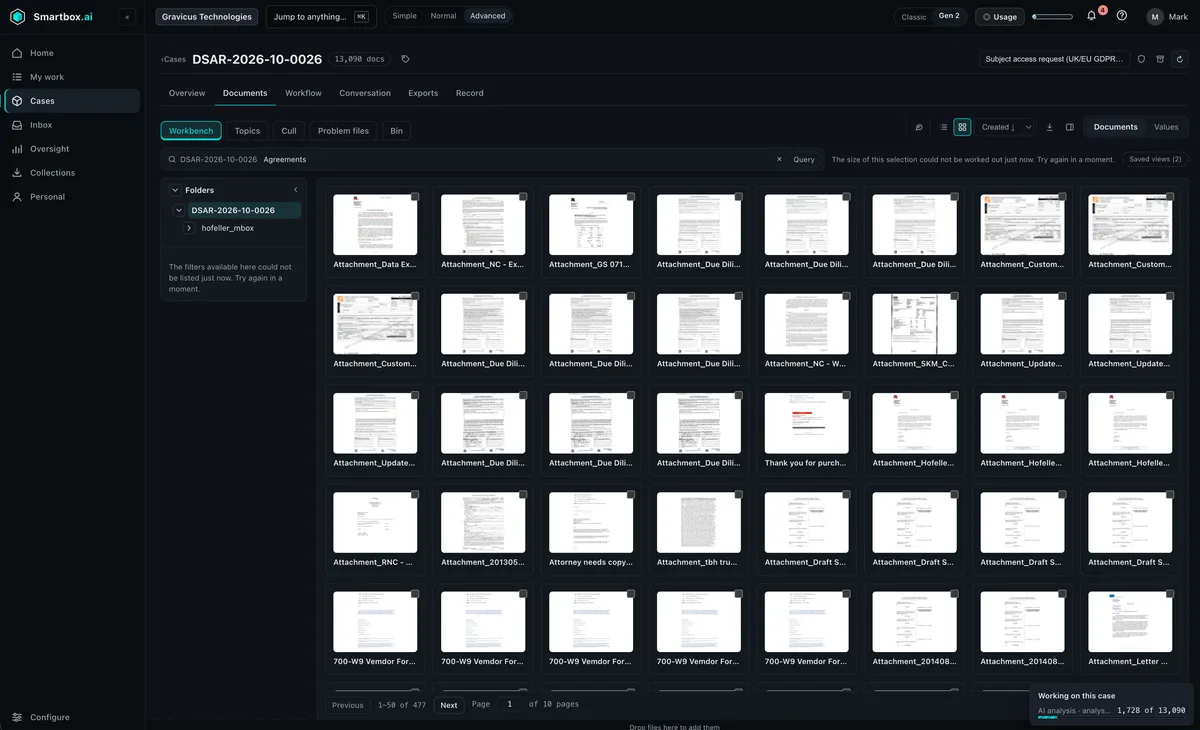
Collect
Collect from a wide set of sources with forensic integrity. Each item’s source, custodian and fingerprint are recorded as it arrives, so the chain of custody starts at collection, not at review.
Route
Requests and material that arrive by email are routed to the right case, and the case’s workflow starts. Every communication about a case is recorded with it, not lost in someone’s mailbox.
How workflows workInbound
Your request mailbox
Routing
Matched to a case or a new one
Case inbox
Workflow starts
Understand
Unsupervised machine learning groups every document into themes and topics, so you can scope, prioritise and cull before review begins.
Explore the topic map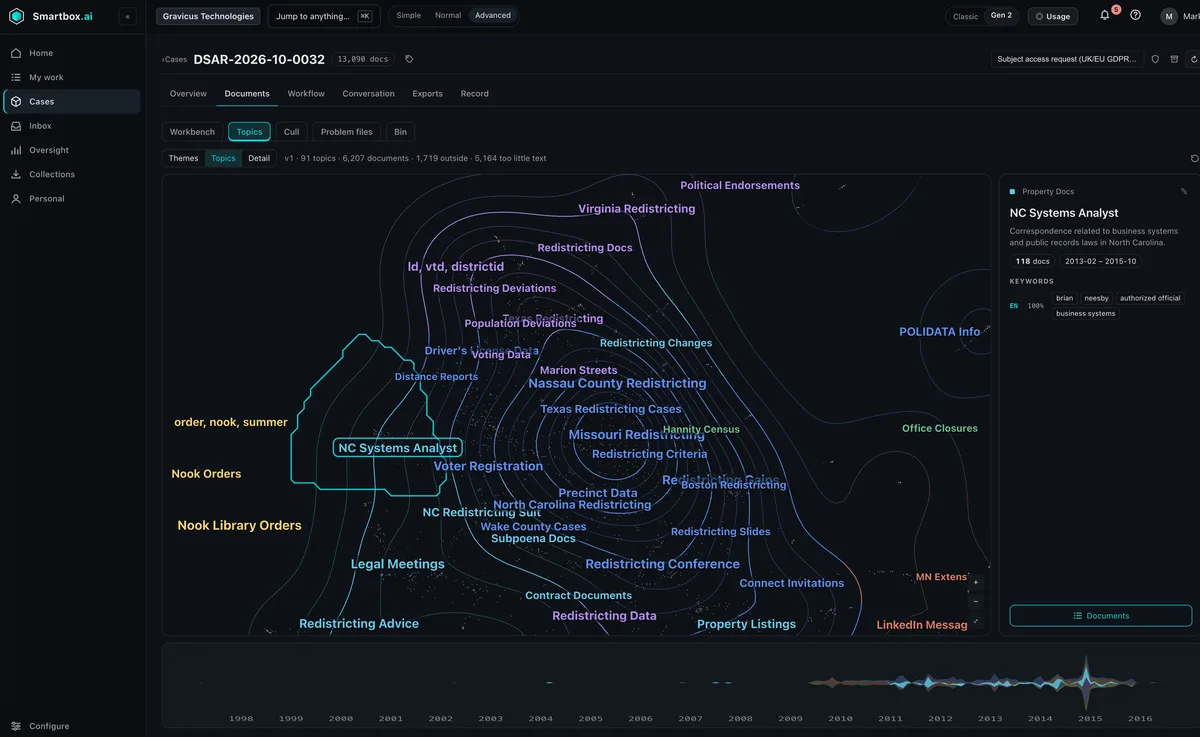
See your own data on the map.
Every format
Nothing goes out to a specialist tool, and nothing gets split to fit.
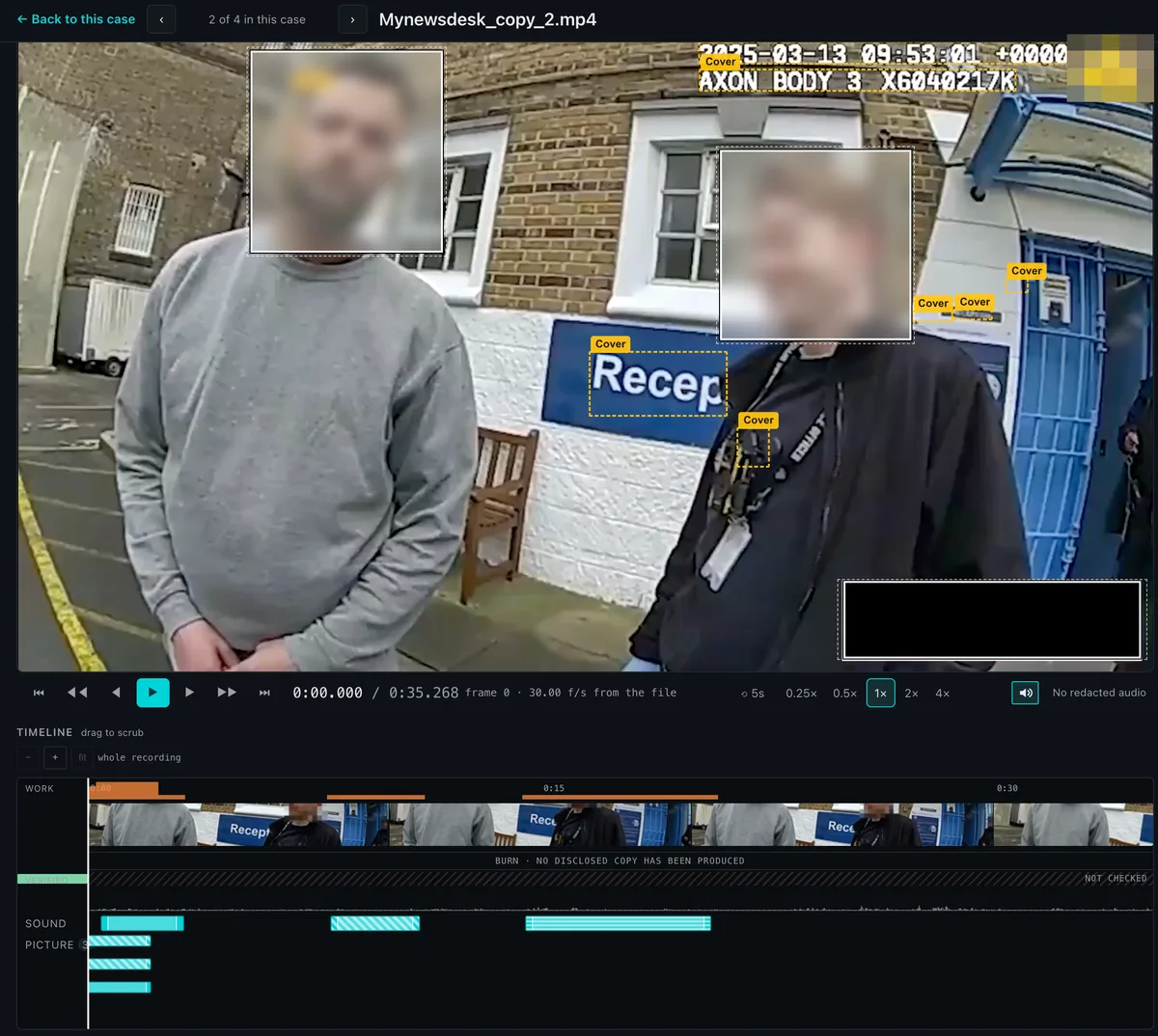
Transcribe and redact video, body-worn video and CCTV. Redact sound and picture separately, and follow a moving subject.
Workbooks reviewed and redacted as reliably as documents.
Text inside images embedded in documents and emails is read, searched and redacted like any other text.
No limit on pages, however long the file. A bundle stays one document.
Put two documents side by side and see every difference, so versions are reviewed once.
File types: documents (PDF, Word, Excel, PowerPoint, email — .msg, .eml), images (JPEG, PNG, TIFF, HEIC), audio (MP3, WAV, M4A, and the audio track of video files), video (MP4, MOV), forensic extracts (.pst, .ost, EnCase, forensic image formats), scans and handwritten notes. Collection and integrations
Beta open now · General availability January 2027
Join the Gen 2 beta, or see it working on your kind of material in a 60-minute demo.
We use cookies to measure how the site is used, and — if you agree — to measure our advertising. You can accept one without the other, and declining is one click. See our cookie policy.
